

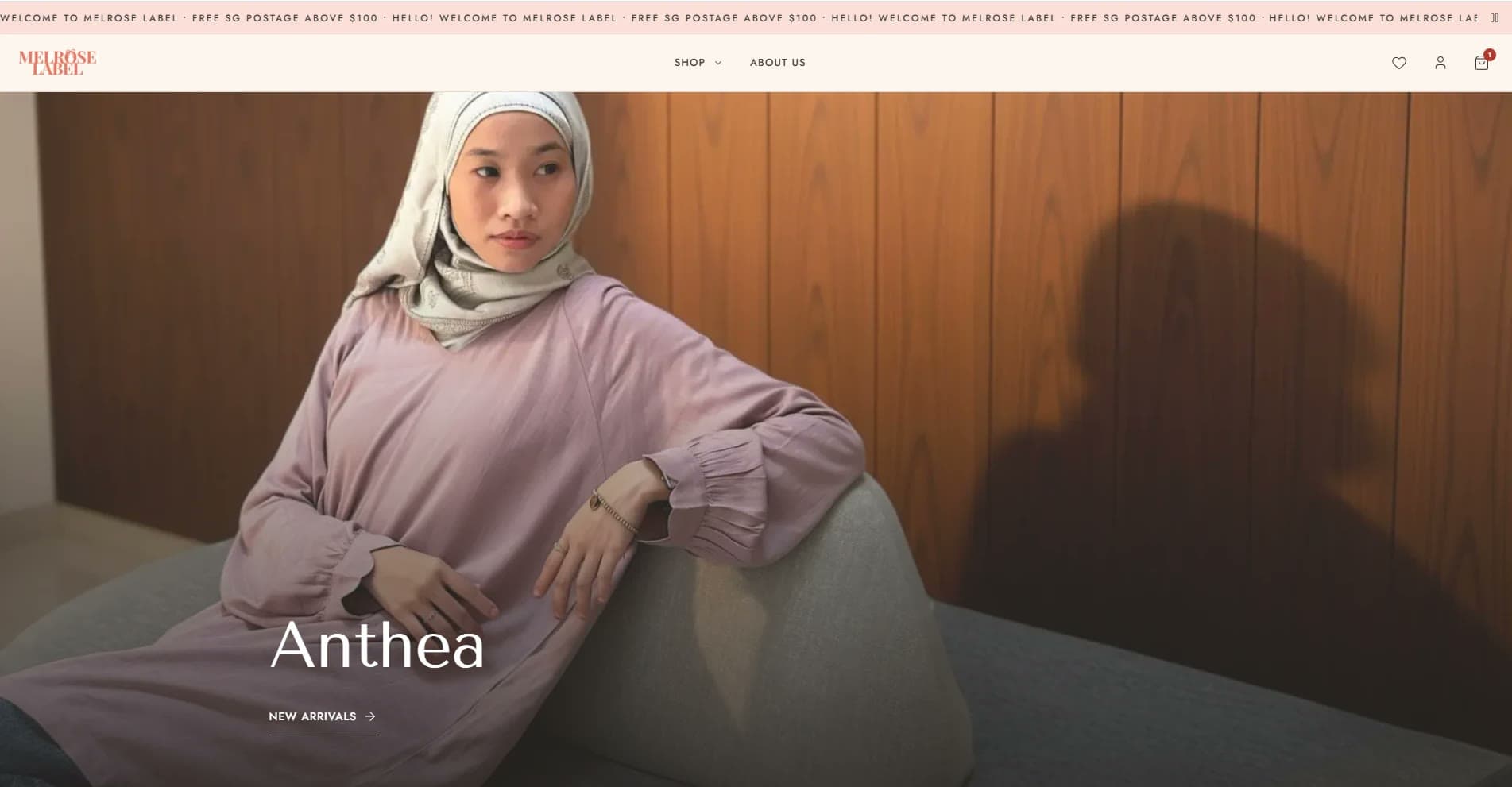
Melrose LabelMar–Oct 2026
Online shop and pop-up booths selling from one stock count, even with no signal.
Storefront with PayNow checkout, owner portal, and a booth POS that keeps selling offline.
View caseCRM and POS
We build custom POS and customer systems for small Singapore businesses. The POS runs on the phone or tablet you already own, added to the home screen from the browser, with no app store and no special hardware to buy. It takes orders, PayNow QR and cash, and shows the queue. The CRM keeps customers and enquiries on the same data. A typical build takes about two weeks.
Each card says what exists, not what we hope it did.
Storefront with PayNow checkout, owner portal, and a booth POS that keeps selling offline.
View case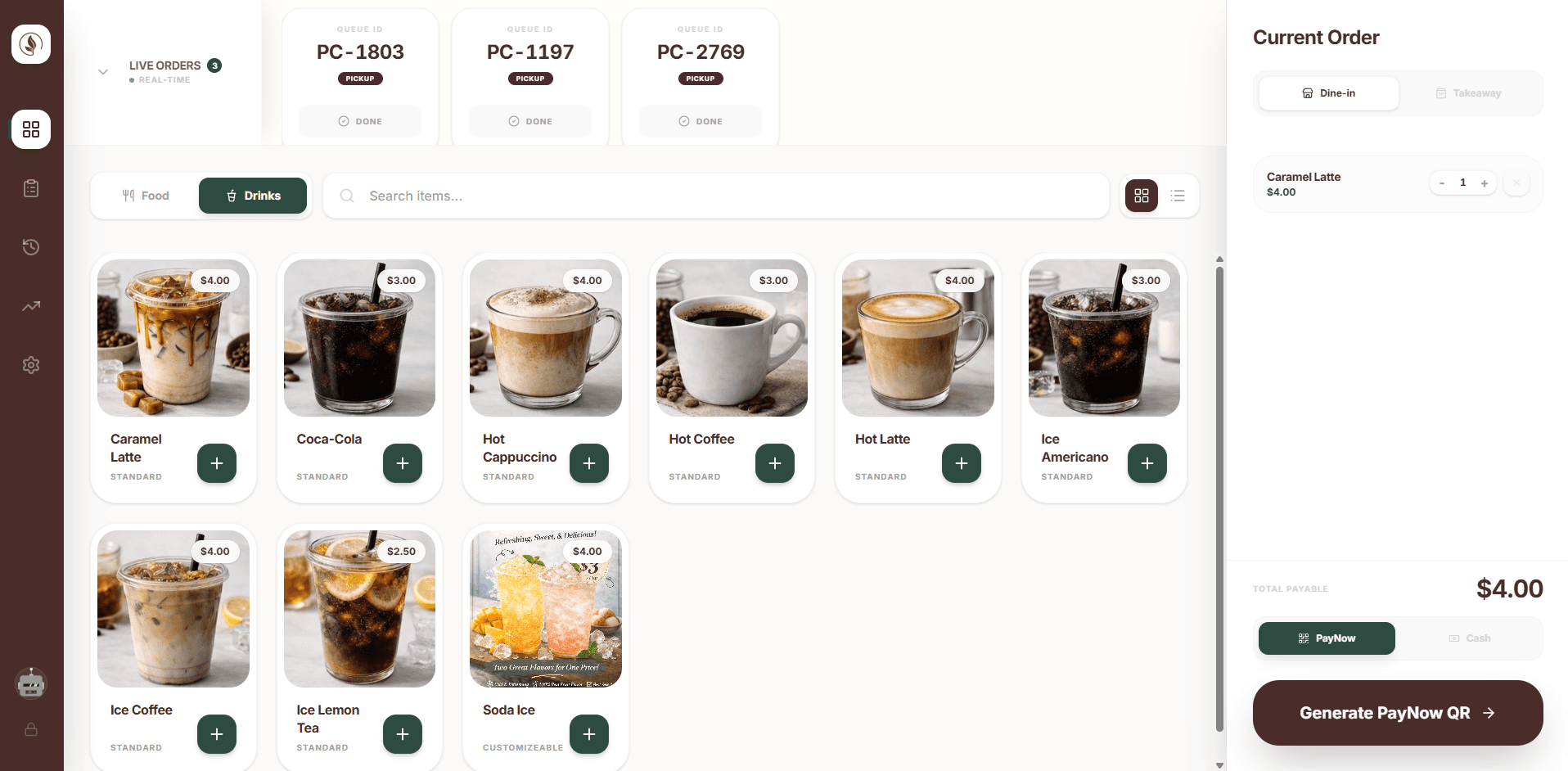
Mobile ordering with add-ons, pickup or resident delivery, a live order queue on the POS, PayNow or cash.
View case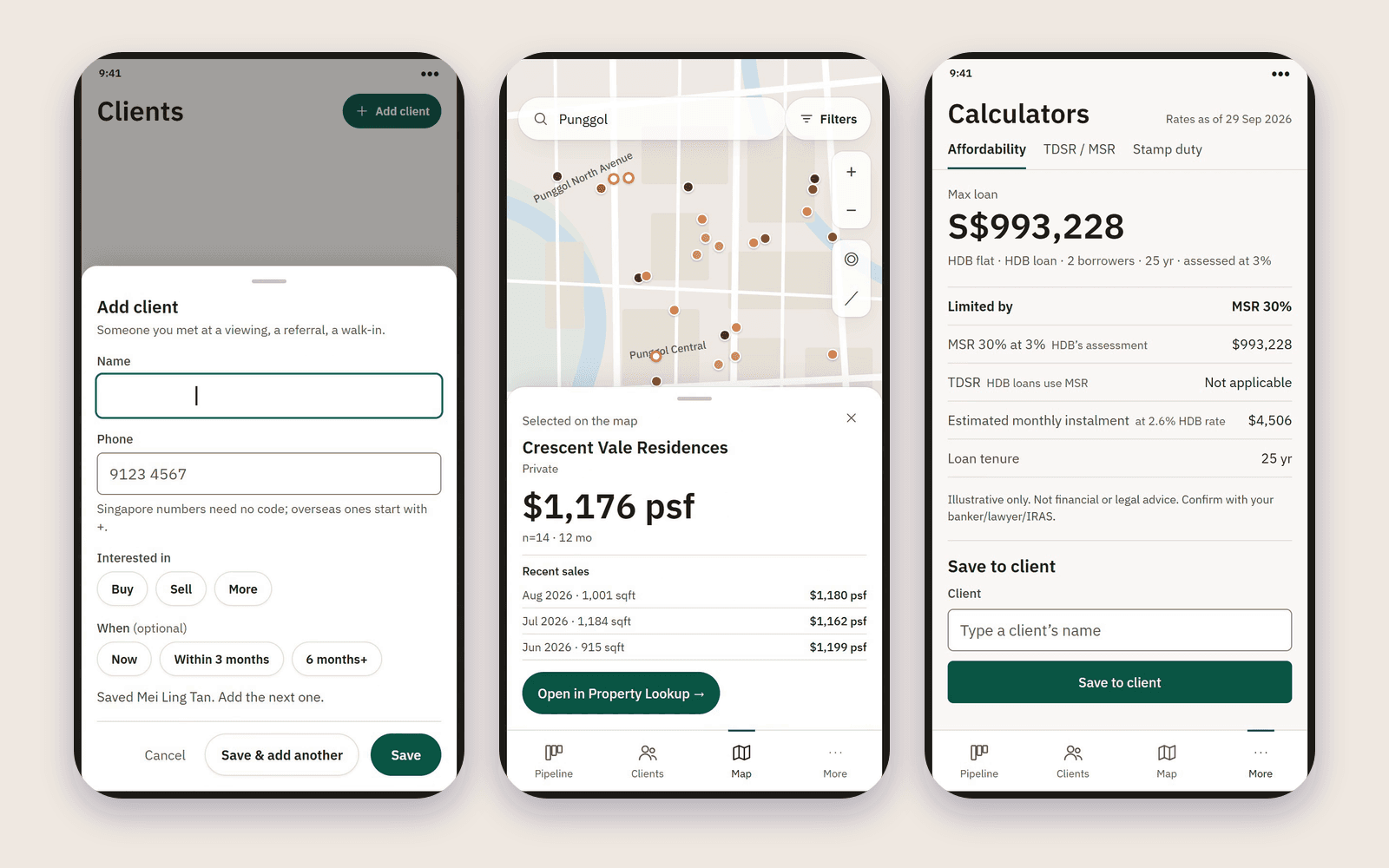
Agent site with a no-code editor, enquiry inbox and pipeline, Telegram alerts, price map, affordability calculators with report links.
View caseThe scope this service starts from. Anything not on this list is quoted separately, in writing, before we begin.
Open the POS in the browser and add it to the home screen like an app. No app store, and no special POS hardware to buy.
A fast touch-screen POS for dine-in and takeaway, with PayNow QR and cash.
Orders show up for the kitchen or packing bench the moment they are placed.
Enquiries and customers in one place, with notes and a record of every contact.
Daily sales and best sellers, shown plainly and exportable for your bookkeeper.
Separate logins, so staff see what they need and nothing more.
We host the system and fix anything that breaks. That is what the monthly fee covers, on every package.
A phone or tablet, if you do not already have one. We advise on what to buy.
What you see and control yourself.
Edit your menu and prices. Mark an item sold out and it disappears from ordering at once.
Give each staff member their own PIN, and see who did what.
Can be set up so a staff discount or a return waits for your OK on Telegram. One tap approves it.
Every enquiry and customer sits in one list, with where it came from and the next step.
See sales by item, by staff and by payment type, and export them for your bookkeeper.
We shape the screens around your counter and your menu, not a generic retail flow.
Sales, stock and customers sit in one database, not three spreadsheets.
Generate a PayNow QR at the POS and see the order confirmed.
You get a full export whenever you ask, and access is limited by login.
Our process
How a project runs, from the first call to launch. Each stage has a fixed scope and a date.
The businesses this service was built around, with the launched project where one exists.
A POS with a live queue, dine-in and takeaway, and PayNow QR payment.
A counter system that shares its catalogue with your online store.
A place to keep every enquiry, with an alert the moment a new one arrives.
Short answers on time, cost and how it runs. Anything else, send us a note.
Yes, and they share data. You can start with one and add the other later.
No. The POS runs on a phone or tablet you already own. You open it in the browser and add it to the home screen, with no app store. If you do not have a device yet, we advise on what to buy.
Yes. The POS can generate a PayNow QR for each order.
About two weeks for a first version. We launch the core flow first and add to it.
We scope offline behaviour with you in discovery, because the right answer depends on your counter.
They work together as one system, so starting with one never closes off another.
A short note is enough. We reply with questions, then a written scope and one price.